
Explore the key components of information systems including users, data, processes, software, and hardware with practical examples.
What Are Information Systems?
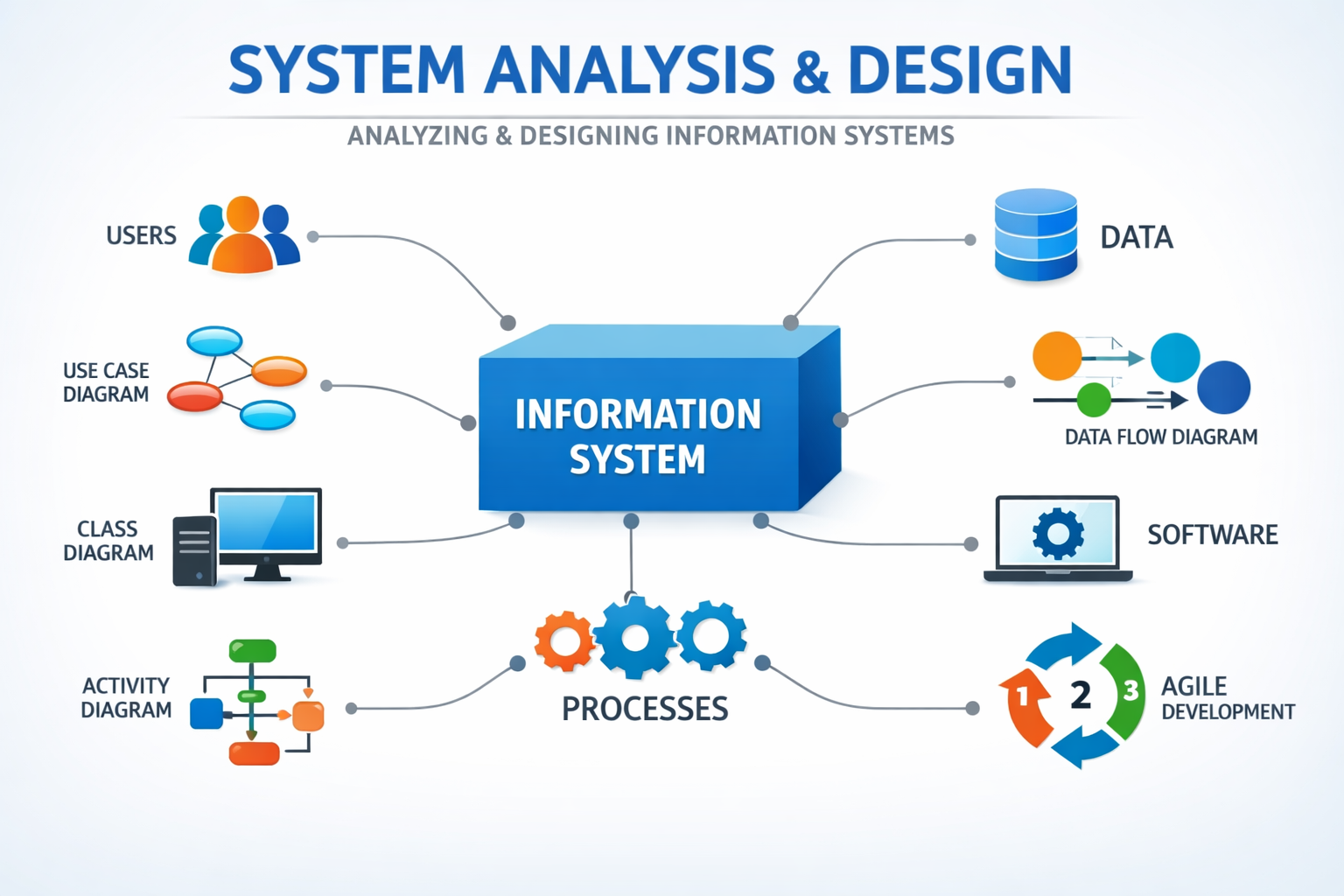
Information Systems (IS) are organized networks of people, processes, data, software, and hardware that work together to collect, process, store, and deliver information. They help organizations make decisions, improve workflows, and provide services efficiently.
Key Components of Information Systems
- Users: Employees, customers, or managers who interact with the system. Understanding user behavior improves usability and security.
- Hardware: Computers, servers, mobile devices, and networking equipment that support data processing.
- Software: Programs that process data and perform tasks, including applications, databases, and operating systems.
- Data: Raw facts transformed into meaningful information for decision-making.
- Processes: Workflows and activities that turn data into actionable insights, often visualized with UML diagrams or DFDs.
Approaches to Developing Information Systems
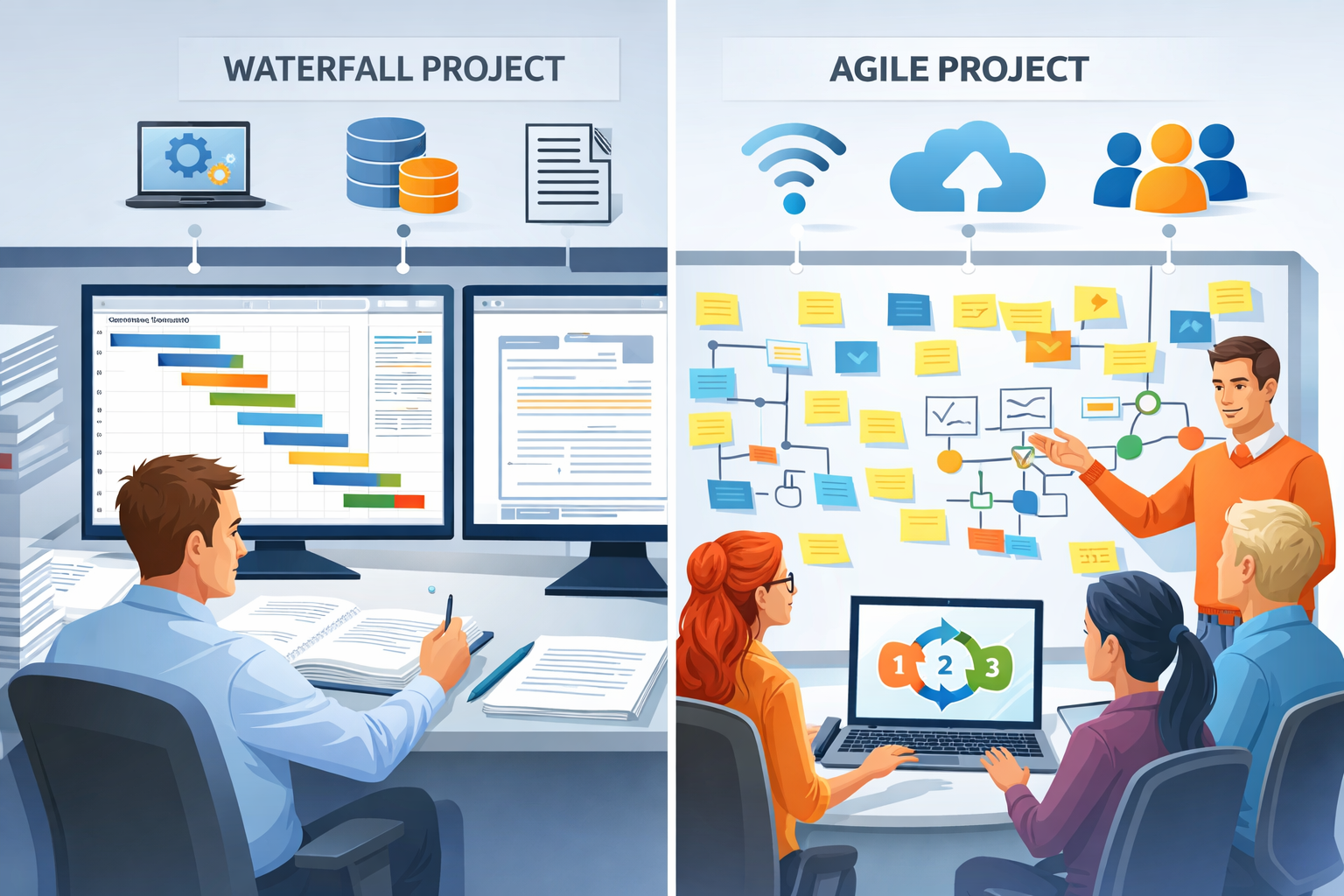
- Structured (Waterfall) Approach:
Sequential phases, best for stable requirements. Steps: requirement analysis → design → implementation → testing. - Agile Approach:
Iterative and flexible, ideal for changing requirements. Focuses on collaboration, feedback, and delivering working solutions quickly.
Agile Values:
- Individuals & interactions over processes and tools
- Working software over comprehensive documentation
- Customer collaboration over contract negotiation
- Responding to change over following a plan
System Analysis Techniques
- Data Flow Modelling (DFDs): Visualizes data movement and processes within the system.
- Logical Data Modelling: Defines entities, attributes, and relationships (e.g., Customer → Orders → Payments).
- User & Entity Behavior Analytics (UEBA): Monitors user behavior to enhance security and system performance.
Common UML Diagrams
- Use Case Diagram: Shows how users interact with the system.
- Class Diagram: Defines entities, attributes, methods, and relationships.
- Activity Diagram: Maps workflows and business processes.
- Sequence Diagram: Visualizes interactions over time.
- State Machine Diagram: Models event-driven systems.
Factors Influencing System Design
- Business requirements and goals
- Scalability to handle growth in users or data
- Performance expectations (speed, throughput, latency)
- Cost and available resources
- Existing technology infrastructure
- Security and compliance requirements
- User behavior and usability
- Organizational workflows
- Integration with other systems
- Data management and storage efficiency
System Design Strategies
- Top-Down: Start with high-level architecture, break into components
- Bottom-Up: Build from components toward a full system
- Hybrid/Function-Oriented: Combines multiple strategies depending on complexity
Prototyping:
- Low-Fidelity: Paper sketches or wireframes
- High-Fidelity: Interactive models close to final implementation
Architectures:
- Monolithic: Simple, all-in-one system
- Microservices: Independent services for scalability
- Modular: Flexible, easier to maintain
- AI Agentic: Integrates AI for autonomous operations
Real-World Example: Online Banking System
Users:
- Bank customers and staff who access accounts, perform transactions, and manage services.
Data:
- Account information, transaction histories, balances, and customer profiles.
Processes:
- Fund transfers, balance inquiries, bill payments, and account management.
Hardware & Software:
- Web servers, mobile banking apps, secure databases, and networking infrastructure.
Security:
- Two-factor authentication, data encryption, and continuous monitoring for fraud.
Design:
- Microservices architecture allows independent services (payments, account management, notifications) to scale efficiently and handle high transaction volumes.
FAQs – Understanding Information Systems
Q1: What is the difference between data and information?
- Data is raw facts; information is processed data that provides meaningful insights.
Q2: Why is Agile preferred over Waterfall in modern IS development?
- Agile adapts to changing requirements, emphasizes continuous feedback, and delivers working solutions faster.
Q3: What are common IS architectures?
- Monolithic, Microservices, Modular, and AI Agentic architectures are used depending on complexity, scalability, and cost.
Q4: How does system design affect user experience?
- Proper design considers workflow, usability, and security, ensuring that users can interact efficiently and safely with the system.
✅ Summary:
Understanding information systems requires analyzing how people, data, processes, software, and hardware interact. Using Agile practices, UML diagrams, and data flow models ensures systems are efficient, user-friendly, secure, and scalable.

No comments yet — be the first to join the discussion!